More Productivity in the Running Process
ACM uses real machining signals to improve throughput, tool usage, and process stability directly during operation, instead of treating optimization as a purely theoretical exercise.
Siemens MACHINUM
With ACM, Optimize MyProgramming /3D Scanner, and Run MyVirtual Machine, MACHINUM extends the SINUMERIK world exactly where productivity, transparency, and process reliability matter in practice.

What Is Siemens MACHINUM
Siemens MACHINUM is not a single function, but a product environment for the targeted advancement of CNC manufacturing. It focuses on three topics that repeatedly determine productivity and process reliability in day-to-day operations: optimizing machining in real time, simplifying shopfloor programming, and virtually safeguarding machine workflows before machine time is tied up.
That is exactly what the three products on this page stand for. ACM improves machining processes based on real machining data. Optimize MyProgramming /3D Scanner supports shopfloor-oriented CNC programming directly from 3D CAD models. Run MyVirtual Machine creates a virtual CNC workstation for preparation, verification, collision detection, and runtime evaluation.
What Makes MACHINUM Stand Out
MACHINUM is relevant where SINUMERIK manufacturers want to solve specific tasks: improve cycle time, reduce tool costs, simplify programming, avoid machine downtime and validate processes before the real machine run.
ACM uses real machining signals to improve throughput, tool usage, and process stability directly during operation, instead of treating optimization as a purely theoretical exercise.
The 3D Scanner brings 3D CAD data directly into SINUMERIK Operate. This saves time, reduces transfer errors, and makes shopfloor-oriented programming more traceable and reliable.
Run MyVirtual Machine moves verification, collision detection, and runtime evaluation to the virtual workstation. This relieves machine time and noticeably reduces risk during prove-out.
These products complement each other along the CNC value chain. The result is not a patchwork of isolated applications, but a clear connection between the shopfloor, process data, and virtual preparation.
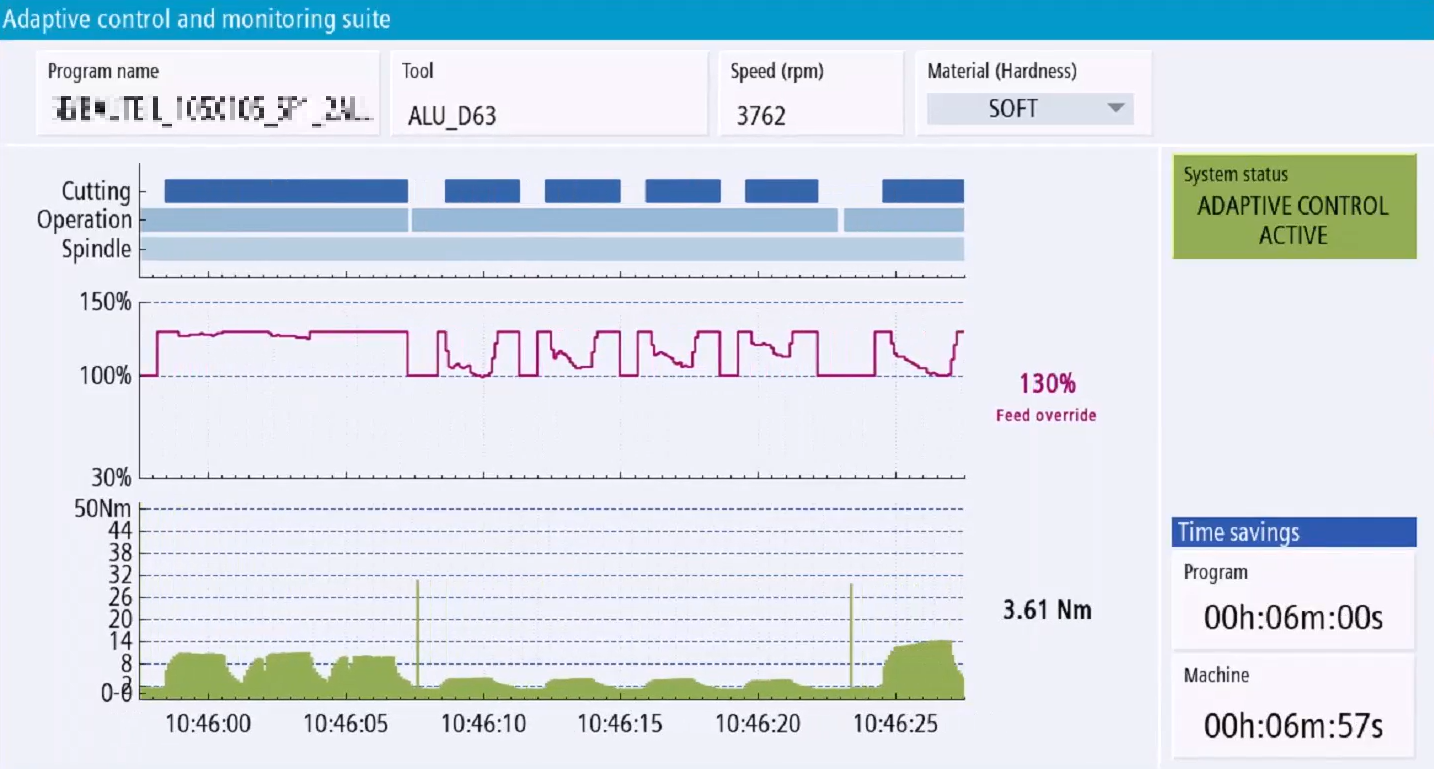
ACM - Adaptive Control & Monitoring
ACM is MACHINUM’s solution for real-time optimization of machining processes. The goal is to produce more parts, reduce tool costs, and better secure unattended machining without fundamentally changing existing NC programs and operating workflows.
The suite combines several functions with clear roles. AdaptiveControl reduces cycle times, supports stable cutting conditions, and can extend tool life. ToolMonitor reliably detects tool breakage, even on small tools. ToolLifetimeMonitor shows the actual end of tool life based on real cutting conditions. In addition, ACM Console makes KPIs, histories, trends, alarms, and detailed analyses visible, creating the basis for better day-to-day decisions.
A particular strength of ACM is that it not only provides protection and reaction in the live process, but also transparency into what is actually happening at the machine - across spindles, tools, NC programs, and specific machining operations.
Optimize MyProgramming /3D Scanner
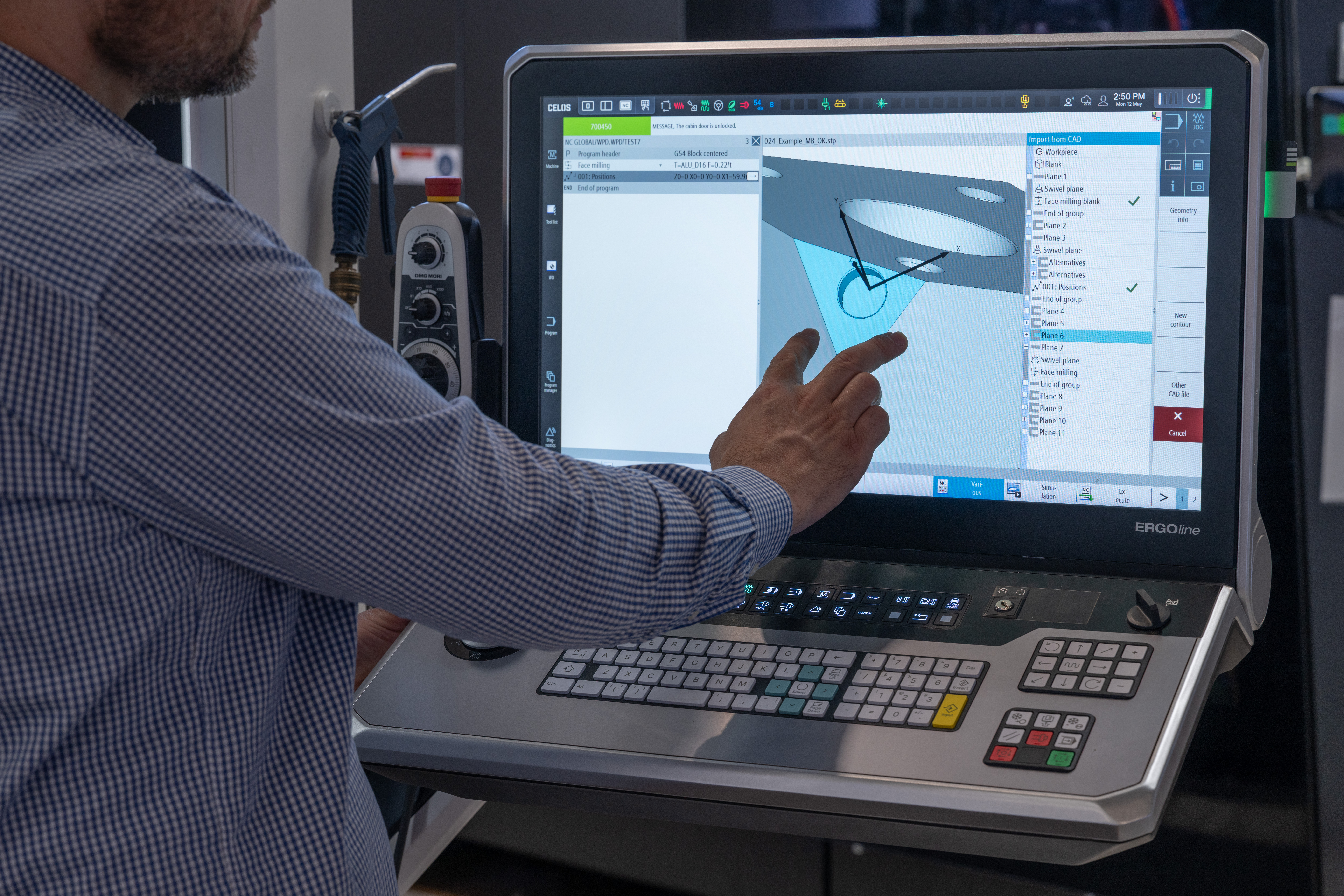
The 3D Scanner is a control-integrated solution for shopfloor-oriented CNC programming based on 3D CAD geometry. Instead of manually transferring information from 2D drawings, the 3D model is used directly in SINUMERIK Operate.
The workflow is straightforward: the 3D CAD model is imported, Feature Scan suggests suitable machining cycles based on the geometry, and the required parameters are taken directly from the model. This saves time, reduces incorrect parameter entry, and makes programming on the shopfloor much easier to follow.
The solution is especially relevant where prismatic parts need to be programmed quickly and accurately. At the same time, the barrier to entry remains low because the 3D Scanner is integrated directly into SINUMERIK Operate and follows its familiar operating logic. It can also be used in connection with virtual machine models.
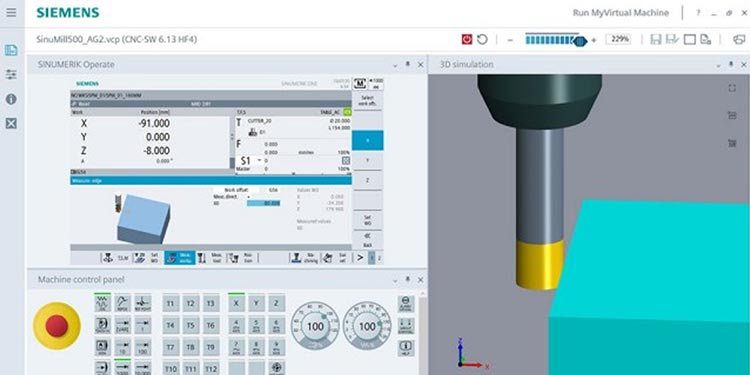
Run MyVirtual Machine
Run MyVirtual Machine is the virtual CNC workstation for offline programming, verification, and preparation. Programs can be created and checked on the PC before being transferred to the machine. This relieves the machine and provides a safe environment for preparation and optimization.
A key advantage is that Run MyVirtual Machine uses the same CNC architecture and the same operating and programming interface as the real SINUMERIK machine. This means programs are not merely simulated, but checked very close to real-world conditions. Runtime evaluation on the PC also becomes much more valuable for quoting and production planning.
With the /3D option, a virtual view of the machine workspace is added. Tools, fixtures, and kinematics can be taken into account, collisions can be visually detected and documented, and the system is also very well suited for training, onboarding, and safe preparation of new employees.
Why MACHINUM as a Product Environment
MACHINUM products do not create value simply by adding isolated functions. What matters is that ACM, 3D Scanner, and Run MyVirtual Machine address different but connected points in CNC manufacturing: the live process, shopfloor-oriented programming, and virtual preparation.
That is exactly the strength of the product environment. Individual solutions come together into a connected digital framework around SINUMERIK that increases transparency, reduces risk, and improves process security. In this way, MACHINUM is not just a collection of individual tools, but a meaningful extension of the CNC value chain.
FAQ
MACHINUM is not about a single buzzword, but about different products with clear roles. The following questions help classify ACM, 3D Scanner, and Run MyVirtual Machine properly.
Request a Demo
We assess which Machinum components fit your SINUMERIK environment and your specific needs in programming, shopfloor work, and virtual machine preparation.
The demo is intentionally brief. It is not a full presentation, but a first look at the workflow, interface, and typical applications.
Send us your contact details. You can also suggest a preferred date and time if needed.